Core Standard 2: Technical
Use software and other tools appropriate to the task.
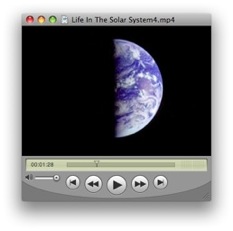
For this standard I chose my educational video workshop project from EDTEC 561: “Life in the Solar System.” The video is embedded below and links to the video hosted on YouTube and a MP4 file are in the sidebar.
Context
As I have been involved in media production throughout my career, I was very much looking forward to taking Bob Hoffman’s EDTEC 561 course which covers advanced multimedia development. It’s hard to believe that I took this class in the Fall of 2008 as my recollection of it is so fresh and clear. The video project was the first of two large works required for the course (the other being the Encyclopedia of Educational Technology article - an excellent experience in it’s own right) and remains one of the technical and creative high points of the entire Master’s program for me.
I have always been interested in space science and follow many of the current planetary missions as an “enthusiast.” I do public outreach as a JPL/NASA Solar System Ambassador and so wanted to prepare some educational materials that might be useful to this cause as well. I wanted to highlight the wonderful imagery that is now available online almost daily from the space missions as they explore our solar system. I chose the current state of astrobiology as a topic and set out to create a video accessible to the general public.
Outcome
Dr. Hoffman has always counseled me to keep the scope and scale of my efforts realistic, but for this project I really wanted to pull out all the stops. I was fortunate enough to be able to serve as my own subject matter expert and had some ideas ready to apply to the project. I knew of many amazing images that I wanted to bring to my story and I began researching for archival footage online.
The workflow detailed in the Educational Video Workshop document proved extremely valuable in assisting me with the process, especially with the treatment. Focusing the work was vital as I was attempting a very ambitious subject for a 5 minute video. Crafting a narrative helped hang together all the facts I was presenting without overwhelming the viewer. I thank Dr. Hoffman for performing the task of keeping me on task.
As well as the organizational techniques and tools I put to use, this project required extensive use of several software packages: Logic Audio to compose the soundtrack, iMovie to assemble the footage, GarageBand to record the narration, Soundtrack Pro to combine the elements and iDVD to burn to disk. There were hundreds of separate elements that combined into the final product, each requiring attention to detail and with understanding of how each would contribute to the whole.
Challenges and Opportunities
I enjoyed this so much that I invested quite a bit of time into it. My biggest challenge therefore was time management and keeping within the constraints of the project. I believe my efforts were rewarded with an end product of which I can be proud.
My Contributions
Since I was the sole author of this work (under the mentor-ship of Dr. Hoffman), this video showcases my creative and educational technology skills completely.
Lessons Learned
The constant struggle between the constraints of time and budget and creative vision came to the forefront in this work. I learned the importance of focusing one’s efforts, how to craft an educational narrative and several handy techniques for scriptwriting. Each of these will remain valuable to me in future work.
EDTEC 561 Educational Video